
 Community
 Video Library
 Agent Training
 Freshservice
 Freshdesk
 Freshchat
 Freshcaller
 Freshsales
 Freshteam
 Freshworks Neo
 Freshsurvey
 Sprout
 Blossom
This can be done using the API. Navigate to Admin > Workflow > Automations > Ticket Creation > New Rule and set up an automation rule as follows:
Condition: Description contains "..........."
Action: Trigger a webhook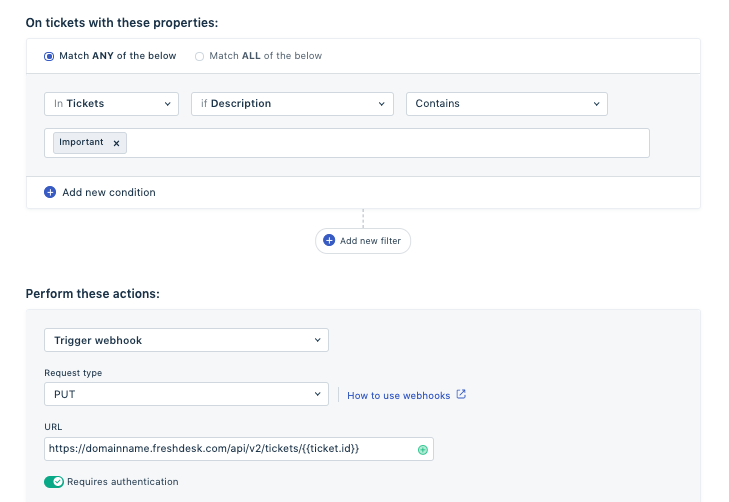
Kindly refer to this link for more information on updating ticket details via API. Copy the code accordingly for changing the subject.