
 Community
 Video Library
 Agent Training
 Freshservice
 Freshdesk
 Freshchat
 Freshcaller
 Freshsales
 Freshteam
 Freshworks Neo
 Freshsurvey
 Free
Free Enterprise
TABLE OF CONTENTS
- Prerequisites
- Overview of conversational insights
- Enable conversational insights
- Use conversational insights
- Usage guidelines and service limits
- Examples of effective prompts
- Things to keep in mind
Effective June 1, 2026, Conversational Insights is officially Generally Available (GA) for all customers on the Freshdesk Enterprise or Freshdesk Omni Enterprise Plan.
Conversational Insights enables you to analyze helpdesk data using natural language and generate instant visual reports powered by Freddy AI. Functioning as your dedicated data analyst, this tool generates insightful charts and reports on demand, simply by asking questions in plain English.
Prerequisites
- Ensure you are on the Freshdesk Enterprise or Freshdesk Omni Enterprise plan.
- Ensure Freddy AI Insights is enabled for your account.
- Ensure you have administrator privileges to enable Freddy AI features.
- Ensure your helpdesk data is complete and accurately configured for meaningful insights.
Overview of conversational insights
Conversational Insights, powered by Freddy AI, allows you to explore your Freshdesk data using natural language queries. The feature supports multi-turn conversations, allowing you to refine queries and drill deeper into trends, performance metrics, and operational insights. Generated charts can be directly added to Analytics reports, helping you build dashboards faster and more efficiently.
Conversational Insights is designed to make analytics accessible to both technical and non-technical users, enabling faster, data-driven decision-making.
Key capabilities
- Generate charts instantly using natural language prompts
- Refine analysis using follow-up questions
- Add generated charts directly to Analytics reports
- View query details used to construct a chart
- Start new independent analysis sessions
Enable conversational insights
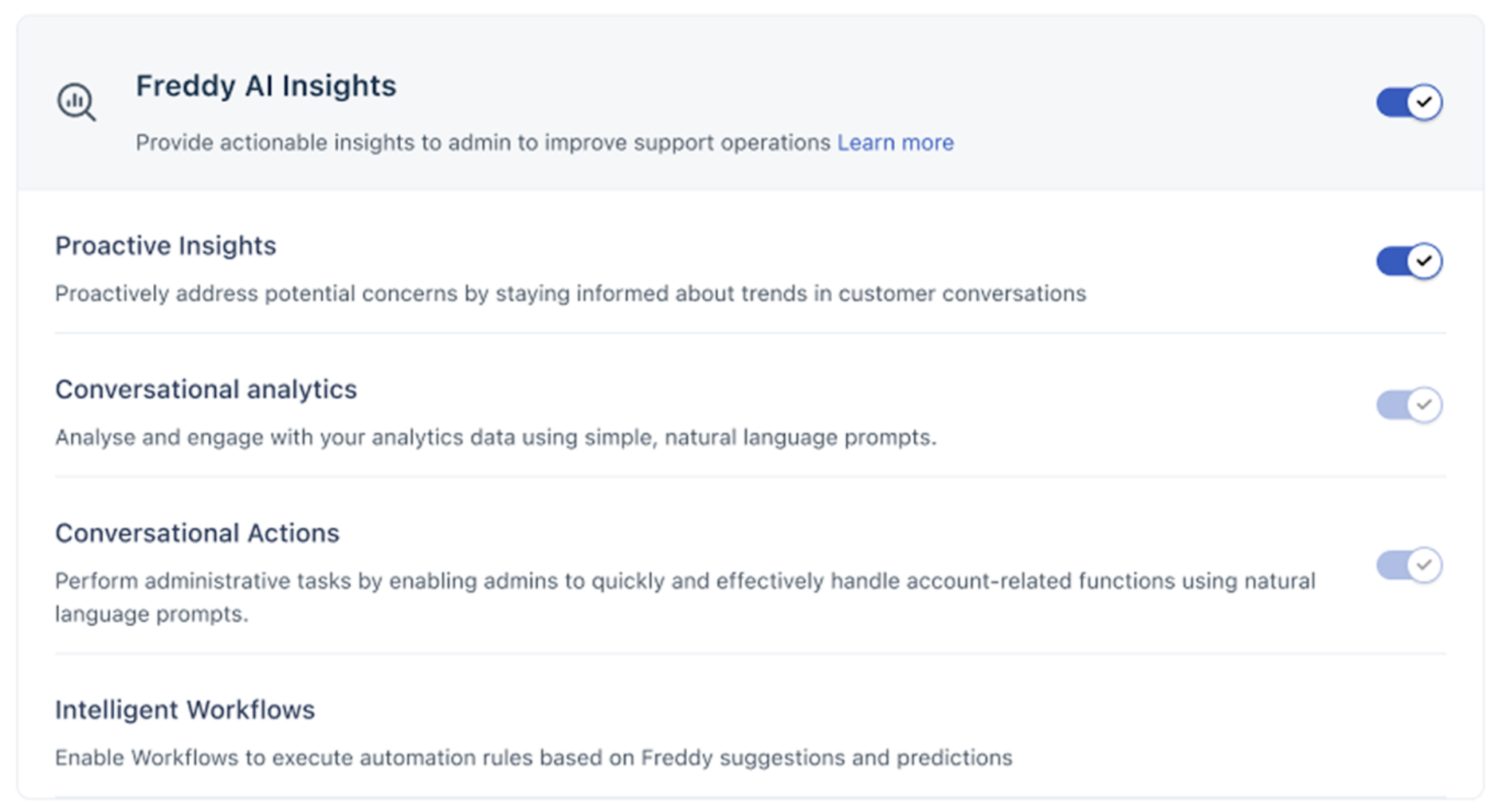
Conversational Insights is available as a part of the Freddy AI Insights suite. To enable the Conversational Insights feature, follow these steps:
- Go to Admin > Freddy AI.
- Locate Freddy AI Insights and toggle it ON.
- Locate Conversational analytics within the insights menu and toggle it ON.
Use conversational insights
Once enabled, you can start interacting with your data directly from the Freddy icon.
- Go to the left navigation bar and click the Freddy Icon at the top.
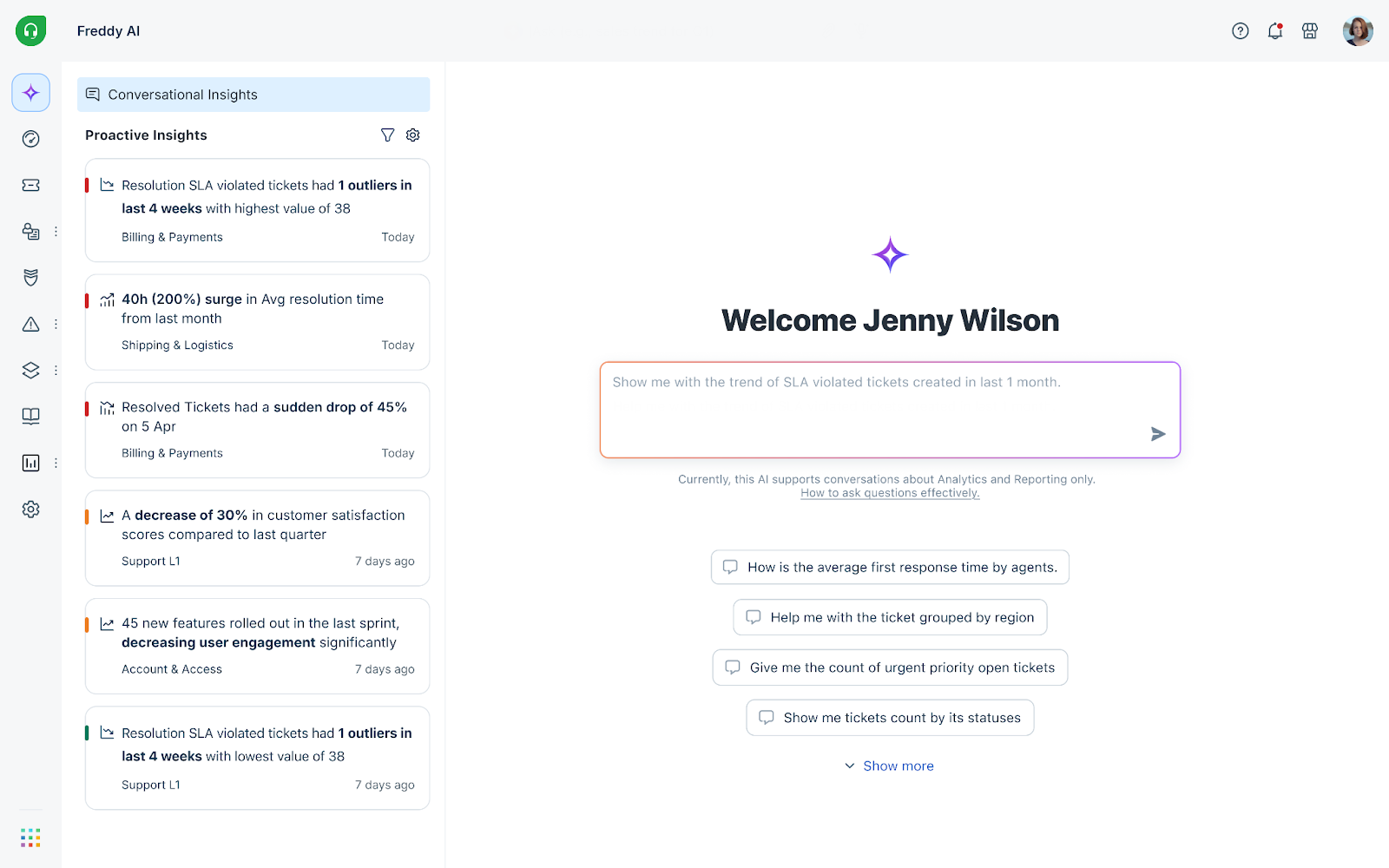
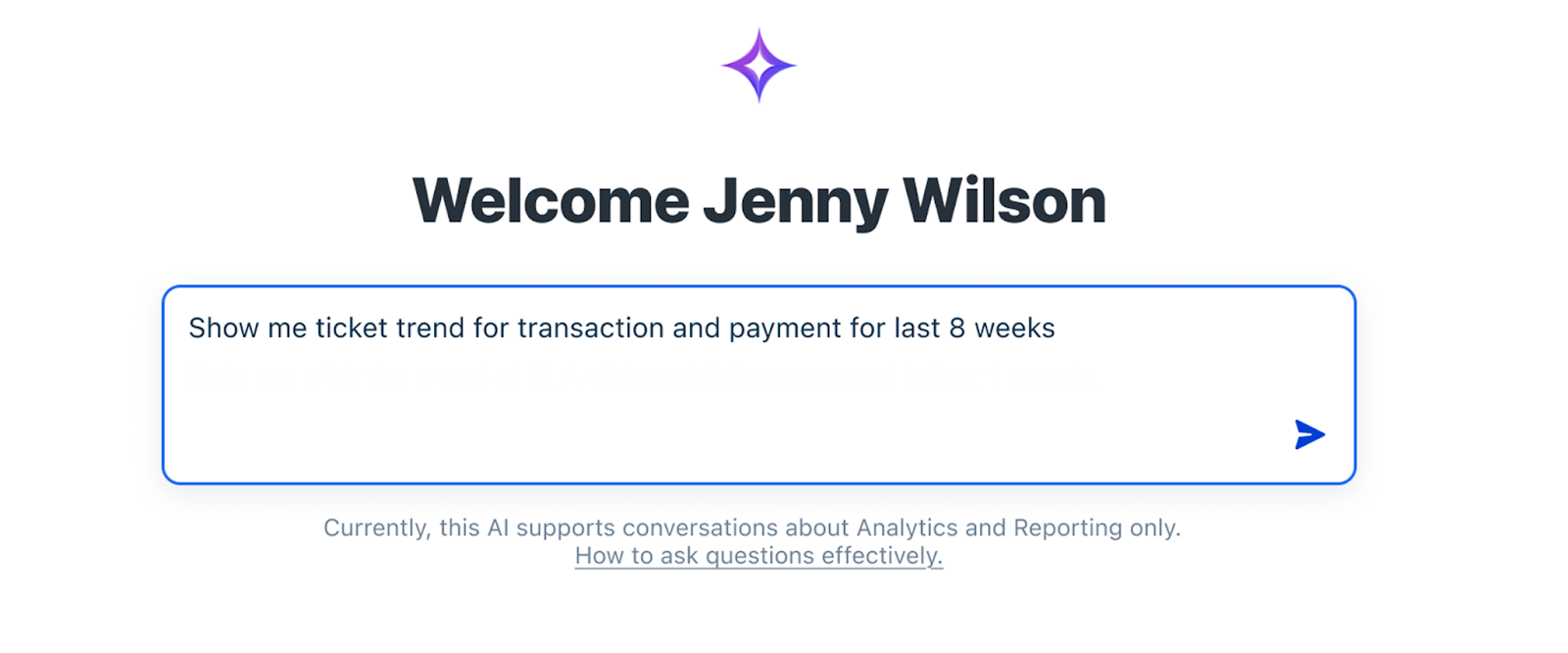
- Type your question in the input box using natural language. For example, "Show me the ticket trend for transactions and payments for the last 8 weeks." The Prompts section also has a list of predefined most-used prompts that you can use.
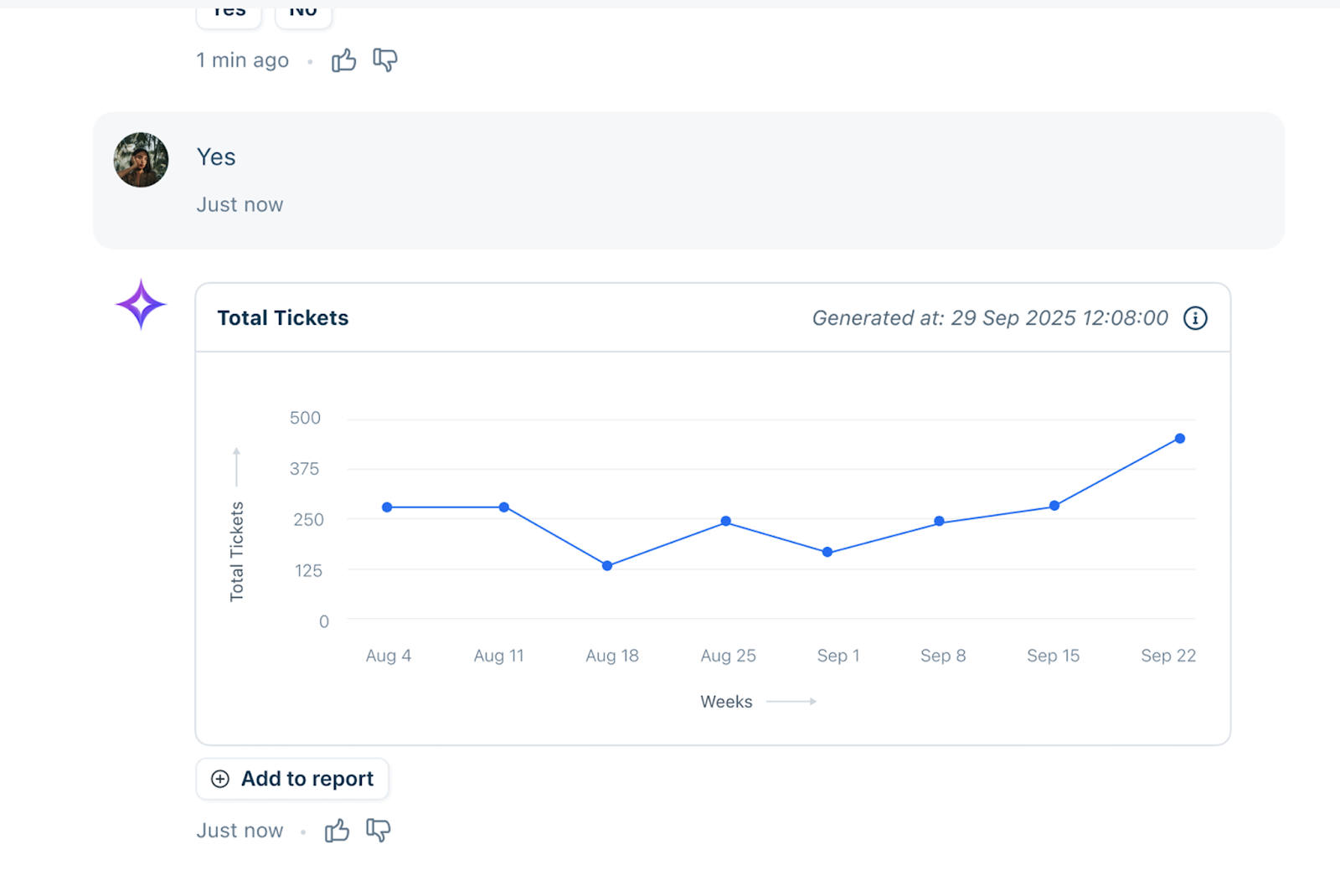
- Review the generated chart or visualization.
- (Optional) Type follow-up questions to refine the data further. Freddy uses your conversation history as context.
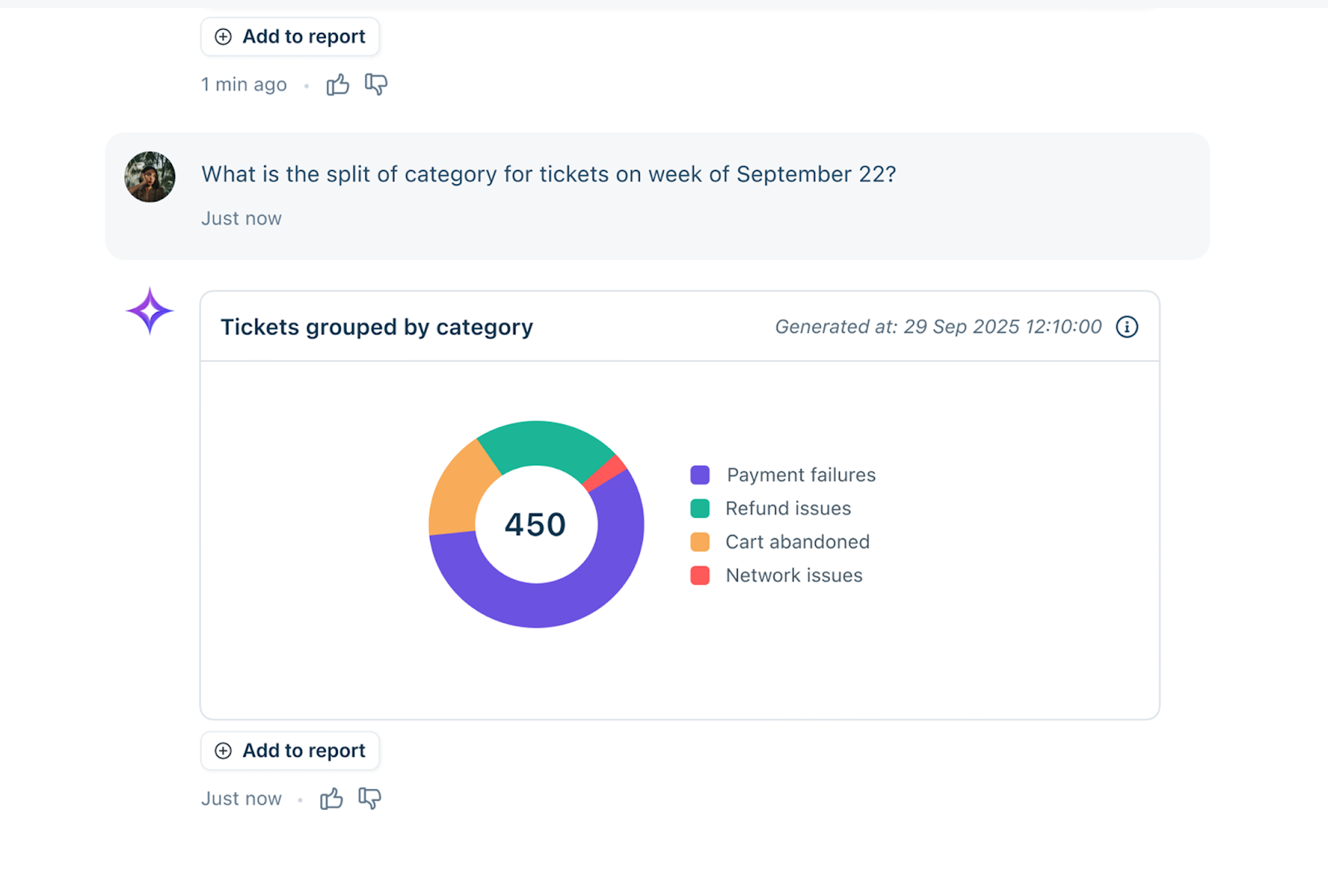
- Click the Information (i) icon to view the specific query used to generate the chart.
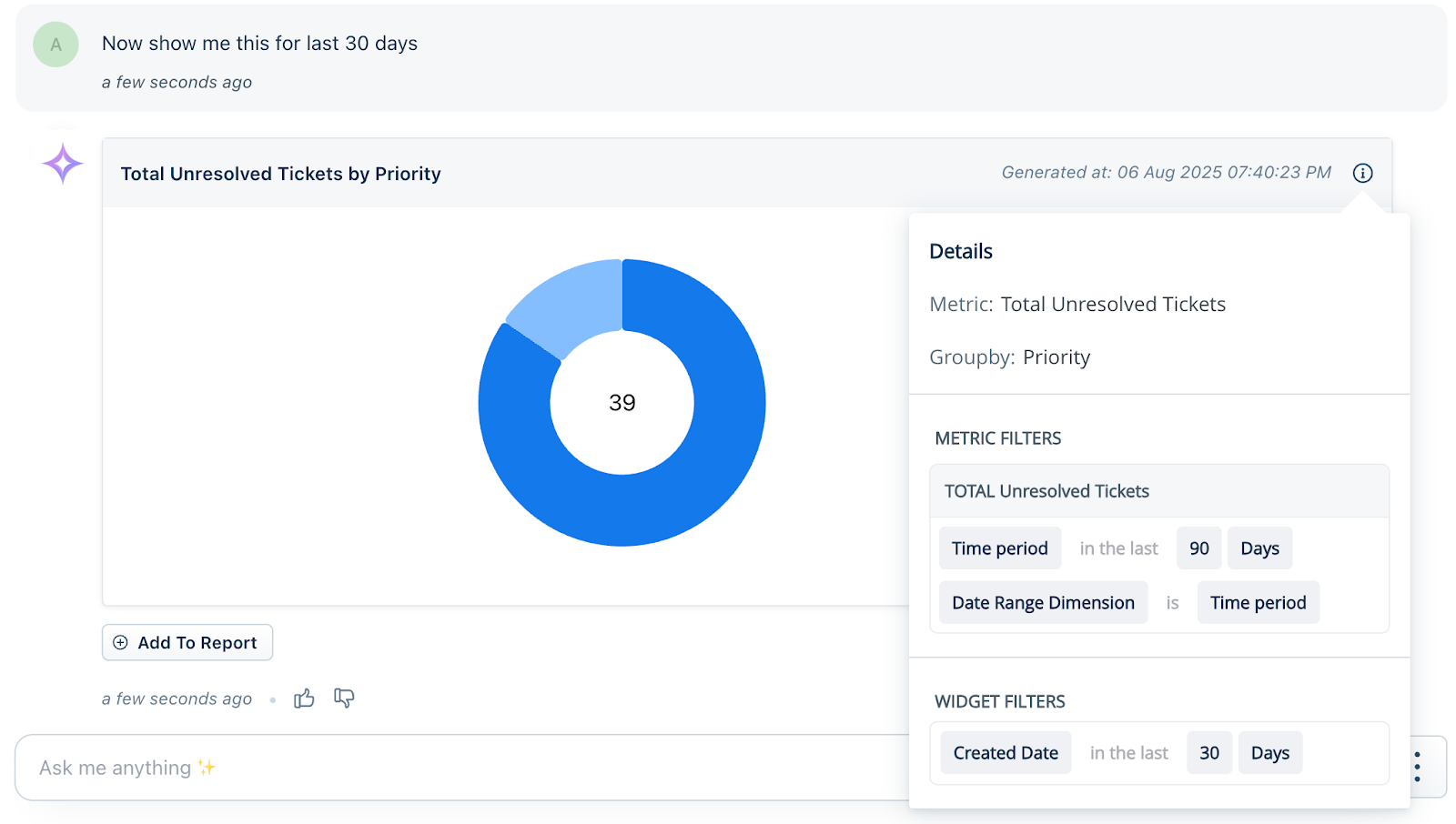
- Click Add to Report to save the visualization as a widget in the Analytics module.
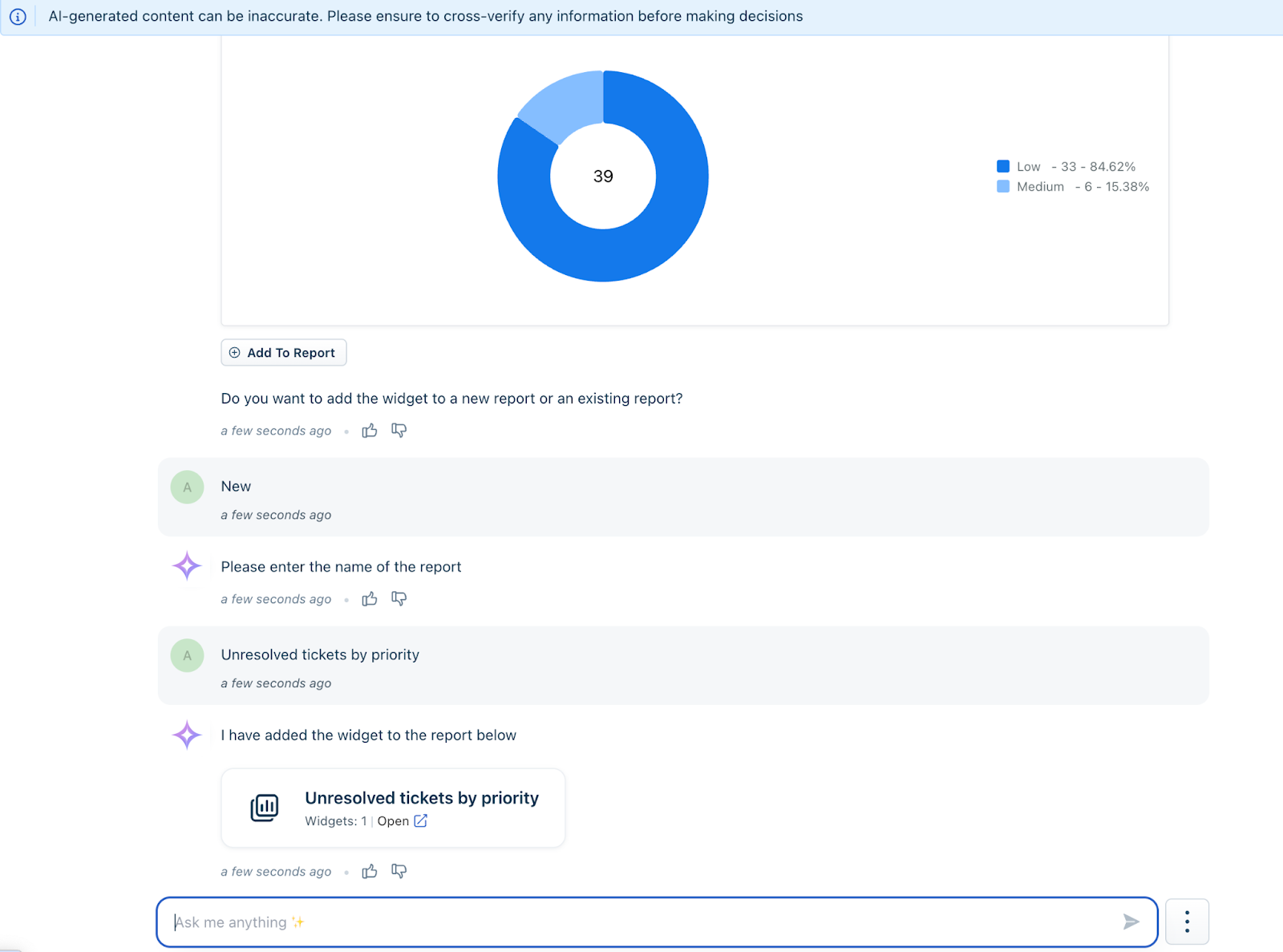
- Select Clear Conversation when you want to start a new, independent session without previous context.
Usage guidelines and service limits
To encourage exploration, Conversational Insights includes a service usage limit of 100 queries per account per month.
This limit serves as a guideline to help you assess the service while allowing full access to all features. In order to support our early adopters in fully appreciating the tool without any restrictions, this limit is currently not enforced.
What this means for your account:
- No interruption: This limit is not enforced at this stage. You can continue to run queries beyond the 100-query threshold without any blocking behavior or hard caps.
- Exploratory access: The experience remains fully open to allow early adopters to explore the full value of AI-driven analytics.
- No current in-product indicators: During this promotional phase, you will not see usage counters or "limit reached" messages within the user interface.
- Advanced notice: We are committed to transparency regarding your usage. We will send a formal notification one month prior to enforcing these limits.
Best practices for accurate results
To get the most accurate insights:
- Avoid ambiguous or unrelated questions.
- Break complex queries into smaller, simpler questions.
- Use follow-up prompts to refine insights.
- Ask questions only in English.
- Ensure the requested data exists within Freshdesk.
Note: Conversational Insights cannot analyze data outside Freshdesk.
Examples of effective prompts
The following examples demonstrate the types of questions you can ask using Conversational Insights. These prompts help you analyze trends, agent performance, SLA compliance, and ticket distribution.
| Category | Prompt | Use case |
|---|---|---|
| Ticket trends and volume | What are the top ticket categories customers are facing right now | Identify the most common customer issues currently |
| Show me the weekly trend of incoming tickets over the last 30 days | Analyse recent ticket inflow patterns | |
| Show a breakdown of tickets created by category and sub-category | Understand ticket distribution hierarchy | |
| Give me the top 3 sources driving the most tickets | Identify high-volume ticket channels | |
| Compare ticket volume from March 2025 to March 2026 | Perform year-over-year ticket volume comparison | |
| What is the breakdown of tickets by source for the last 7 days | Understand recent channel distribution | |
| SLA and compliance | Give me the top 5 groups missing resolution SLA targets the most | Identify groups with SLA compliance risks |
| Agent performance | Which 5 agents have the highest ticket resolution time | Detect performance bottlenecks |
| How does agent performance vary by ticket type | Analyse performance differences across ticket categories | |
| Show me the agent with the highest first contact resolution rate this month | Identify top-performing agents | |
| Compare the ticket resolution time for the last two quarters | Evaluate efficiency improvements |
You can continue the conversation by asking clarifying follow-up questions, such as:
- “Filter this by high priority.”
- “Show only escalated tickets.”
- “Break this down by month.”
- “Compare this with the previous quarter.”
Note: You can view sample tips by clicking the tips icon to get better responses.

Things to keep in mind
- Activation Timelines
- Pre-enabled Accounts: Customers who have already enabled Freddy AI Insights will receive automatic access to the Conversational Insights on June 1, 2026.
- New Activations: For eligible accounts enabling Freddy AI Insights after June 1, 2026, the Conversational Insights feature will be provisioned and accessible within 24 hours of enablement.
- Language Support: The feature currently supports English only.
- Data Scope: Freddy can only answer questions related to data hosted within your Freshdesk instance.
- Data Accuracy: Accuracy depends on the quality of your helpdesk data. Always verify AI-generated responses before taking critical business actions.