
 Community
 Video Library
 Agent Training
 Freshservice
 Freshdesk
 Freshchat
 Freshcaller
 Freshsales
 Freshteam
 Freshworks Neo
 Freshsurvey
This article outlines the transition to Freshdesk Omni 2025. It covers the necessary actions and the overall impact of this upgrade.
TABLE OF CONTENTS
- About the upgrade
- New capabilities in Freshdesk Omni 2025
- Feature availability
- Next steps after the upgrade
- FAQs
About the upgrade
Freshdesk Omni 2025 is a unified customer service platform that consolidates conversations across email, chat, WhatsApp, Facebook, Instagram, and more into a single central workspace. Every interaction is converted into a ticket, allowing agents to respond without switching between tabs.
This unified approach eliminates context-switching, reduces training time, and provides a complete view of every customer interaction, regardless of the channel they use to reach you.
Why is this upgrade necessary?
The upgrade to Freshdesk Omni 2025 is necessary to unlock the latest capabilities and be eligible for feature enhancements and AI innovations on the roadmap.
Benefits:
This upgrade provides the following benefits for your support operations and customer experience:
- Manage conversations and access customer context across channels from a single agent workspace
- Increase admin visibility and control over SLA compliance
- Simplify workflows and reduce manual effort
- Improve ticket routing for fair workload distribution and faster resolution
- Enhance flexibility in agent and group management
- Access a unified view of contacts and companies across channels
Upgrade rollout and eligibility
This upgrade is being rolled out starting in May in phases based on your account complexity, to ensure a smooth transition
Based on your account, you may be automatically upgraded or required to complete a few pre-upgrade steps.
Accounts that do not require any pre-upgrade steps
If your account is ready for an upgrade:
- You will receive an email with details about the upgrade and next steps
- You will also see an in-product notification with the scheduled date and time of your upgrade.
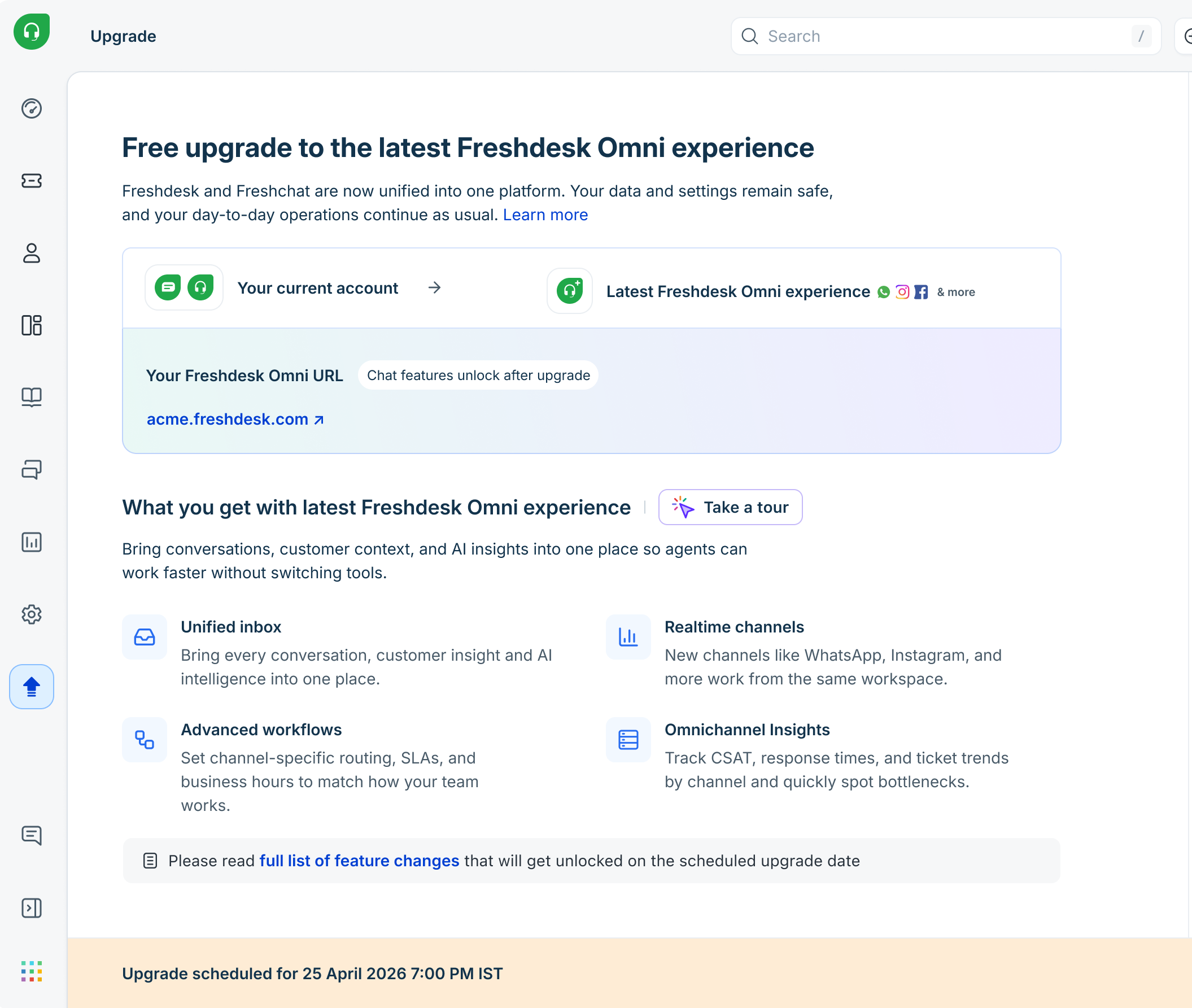
Accounts that require additional steps before the upgrade
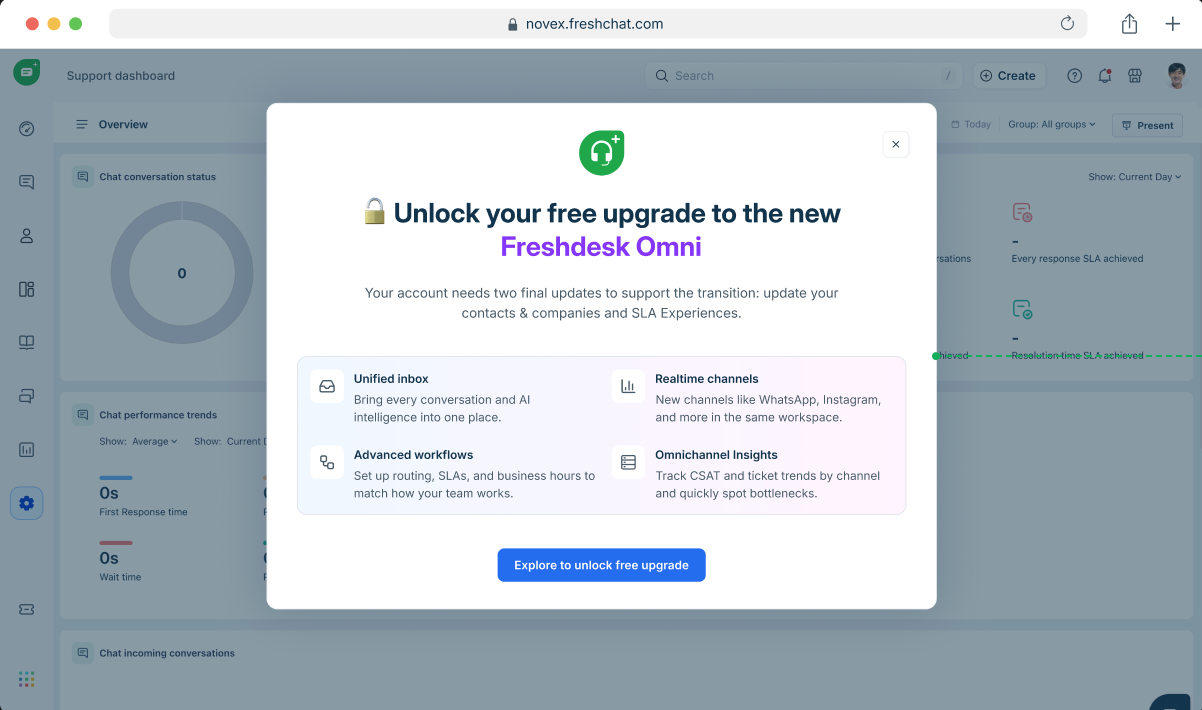
If your account requires additional setup before the upgrade, you will see a guided screen in the product to help you complete the required steps.
- Click Explore to unlock free upgrade or Explore.

- To proceed with the upgrade, complete the following pre-upgrade tasks:
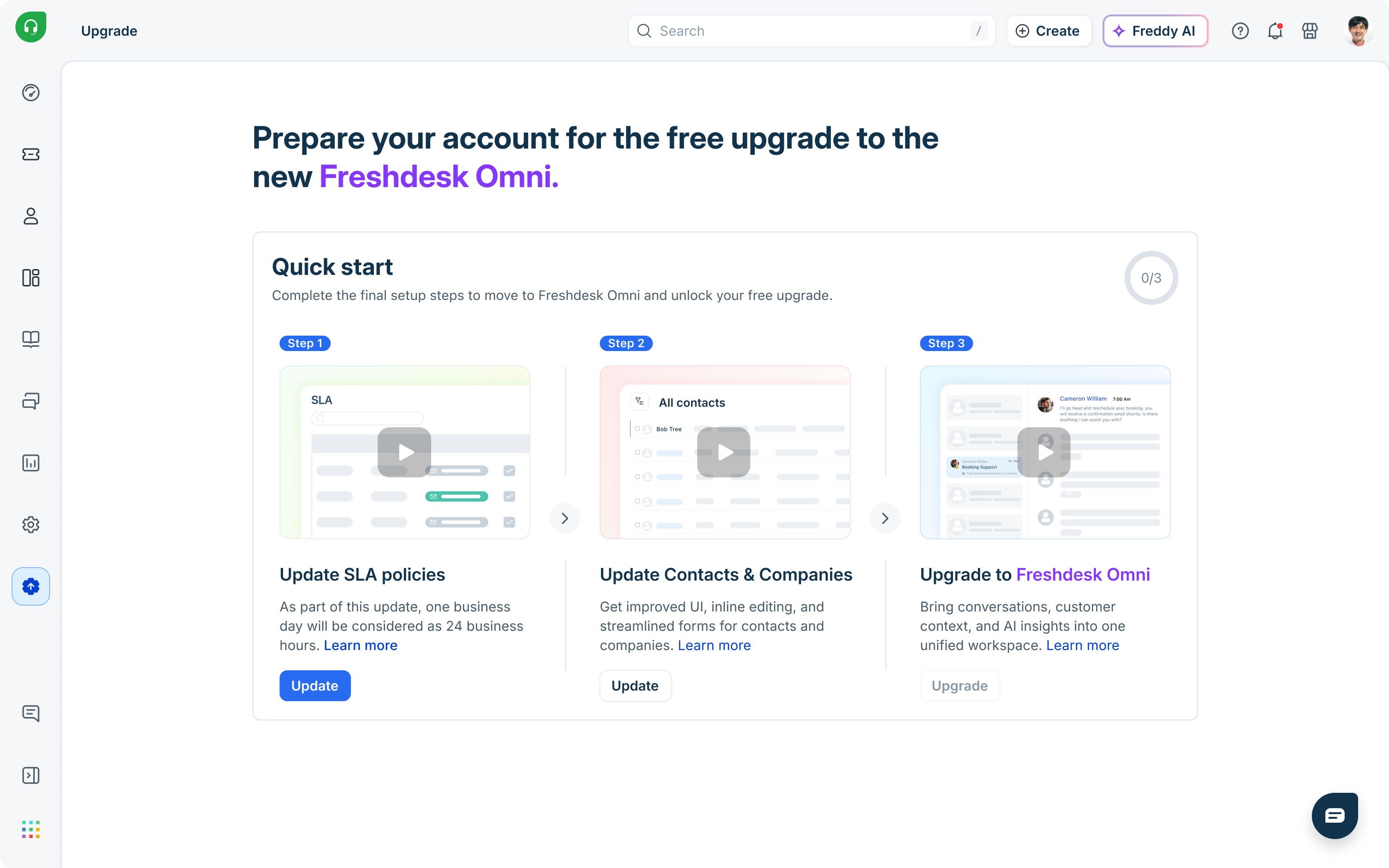 Note: Depending on your account setup, one or both steps will be required.
- Update SLA policies:
Ensure response and resolution targets are calculated correctly under the updated model, where one day equals 24 hours. For more details, see Upcoming changes to SLAs. - Update contacts & companies
Ensure customer records are structured correctly under the new data model, enabling consistent identification across channels. For more details, see Manage customer data.
Once completed, you can proceed with the upgrade immediately or schedule it for a later time.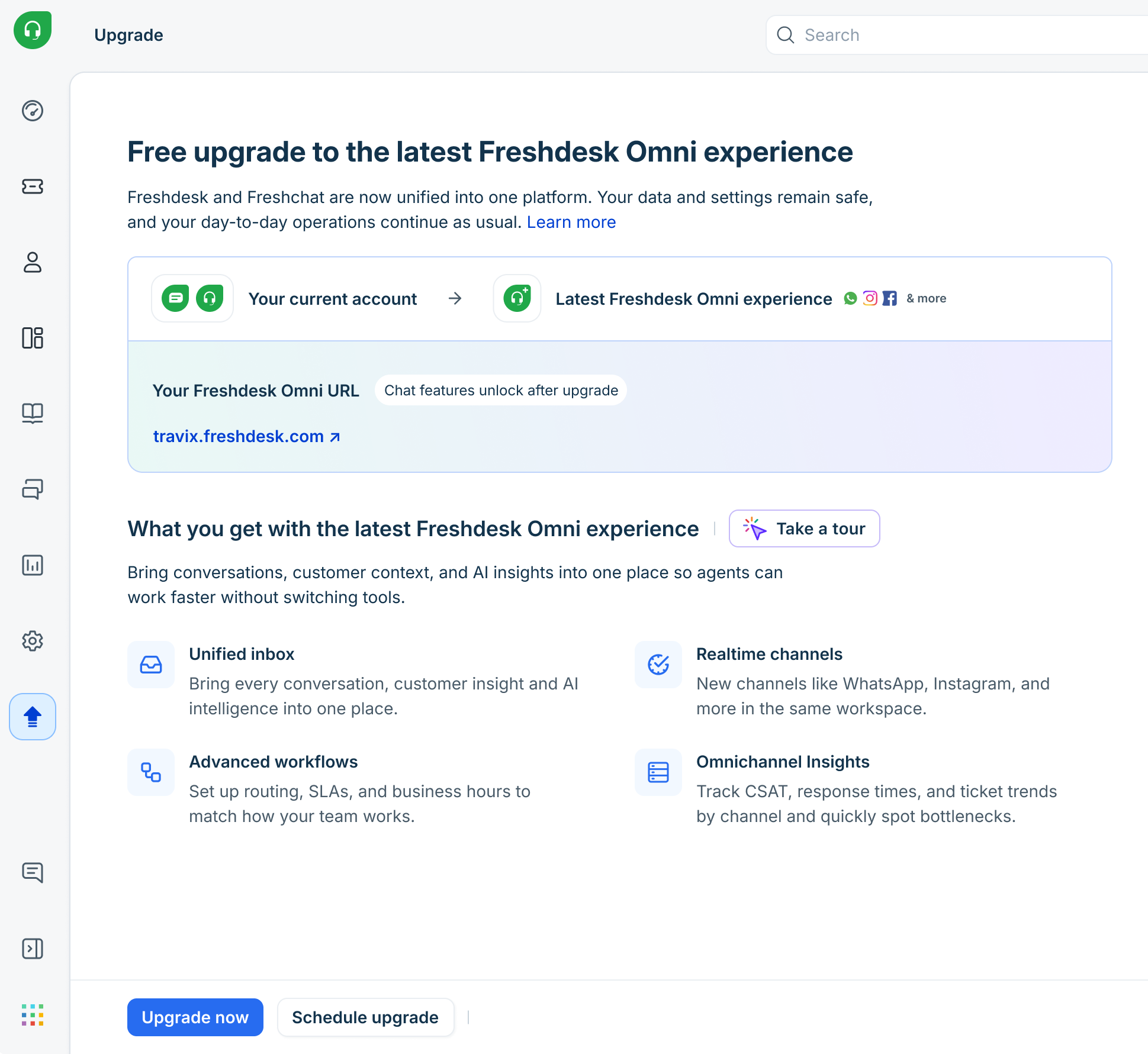
Note: The upgrade is designed to be seamless, with no impact on your existing data or ongoing operations.
Accounts with high Freshchat usage
If your account requires additional configuration and data migration before proceeding with the upgrade, you will be notified with a detailed upgrade flow.
For example, if you have channel configurations, such as WhatsApp phone numbers and Instagram handles, you must move or copy them before initiating the upgrade. For detailed instructions, see Detailed upgrade instructions for Freshdesk Omni 2025.
New capabilities in Freshdesk Omni 2025
Freshdesk Omni introduces a unified support experience by bringing conversations, automation, and AI into a single platform:
- Unified inbox (Freshdesk command center)
Manage all customer conversations, across email, chat, WhatsApp, Instagram, and more, from one central workspace. Every interaction is converted into a ticket, allowing agents to respond without switching between tabs.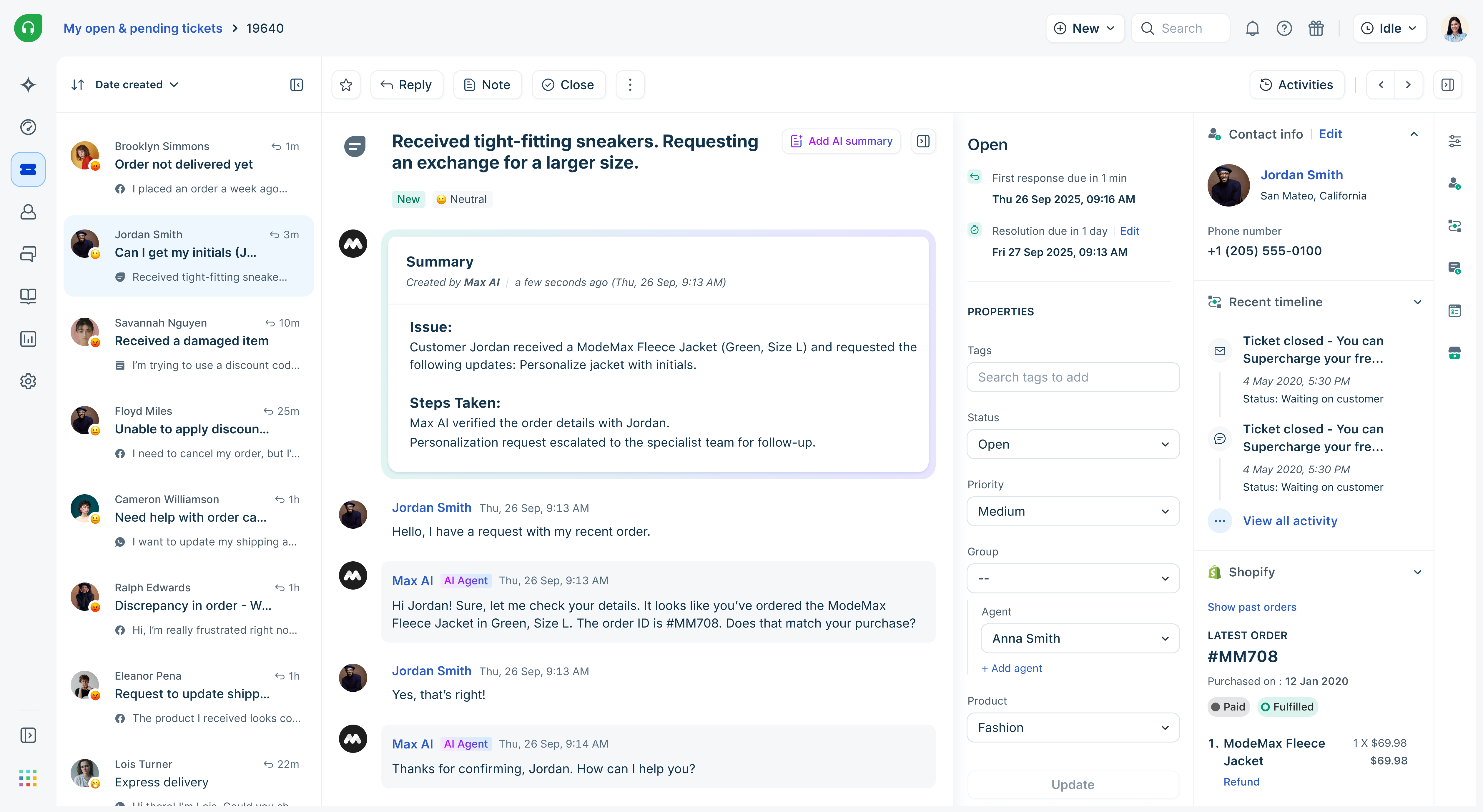
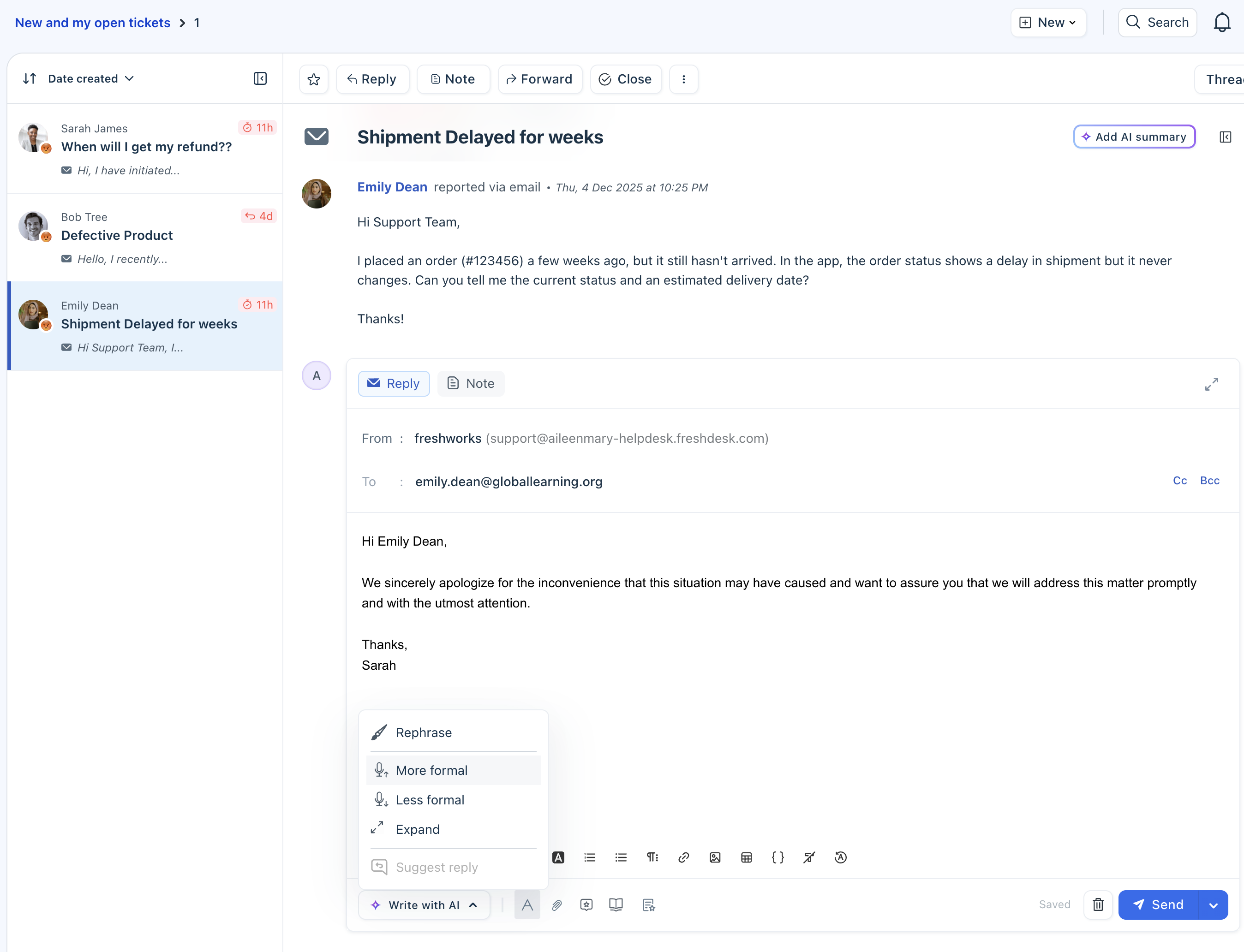
- Freddy AI capabilities
Built-in AI helps automate and assist support operations through:- AI agents that handle repetitive queries and provide 24/7 support
- AI copilot features like reply suggestions, summaries, and real-time assistance
- AI insights that highlight trends and help teams make informed decisions
- Unified admin workspace
Every channel and its configuration can be managed from a single streamlined admin interface. Admins can set up automations, route and prioritize conversations, and consistently track SLAs across channels.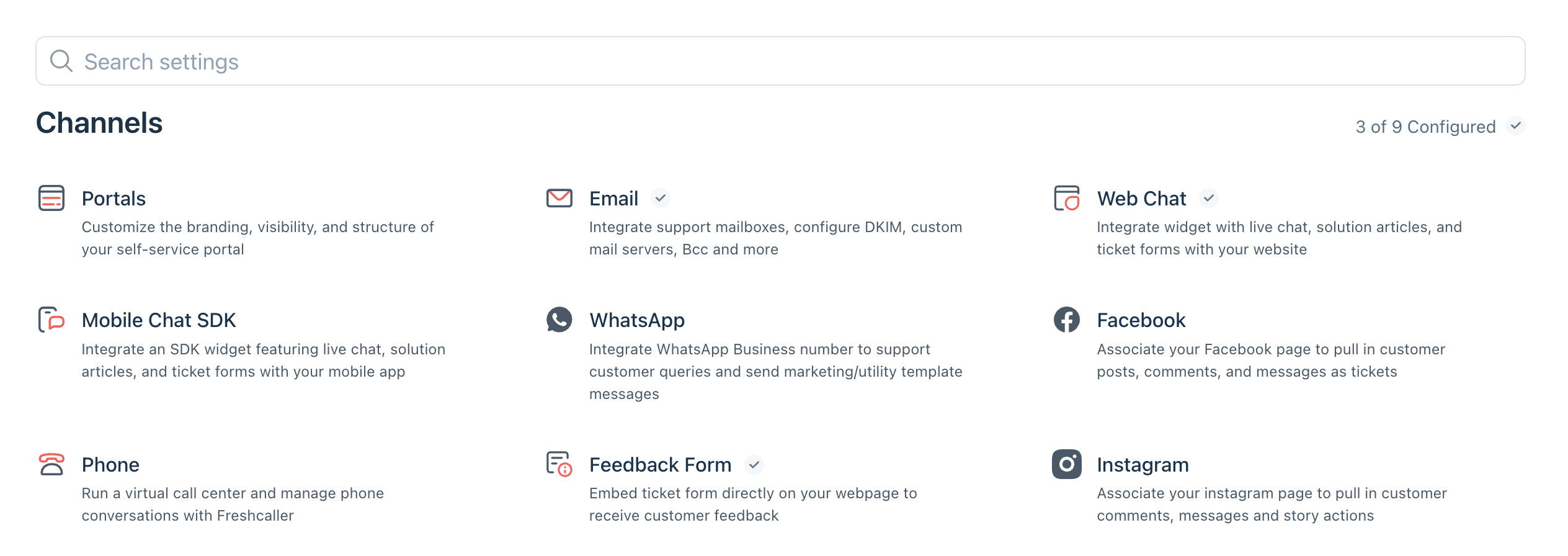
- Integrated analytics and insights
Access reporting and dashboards across all channels to monitor performance, track trends, and identify areas for improvement.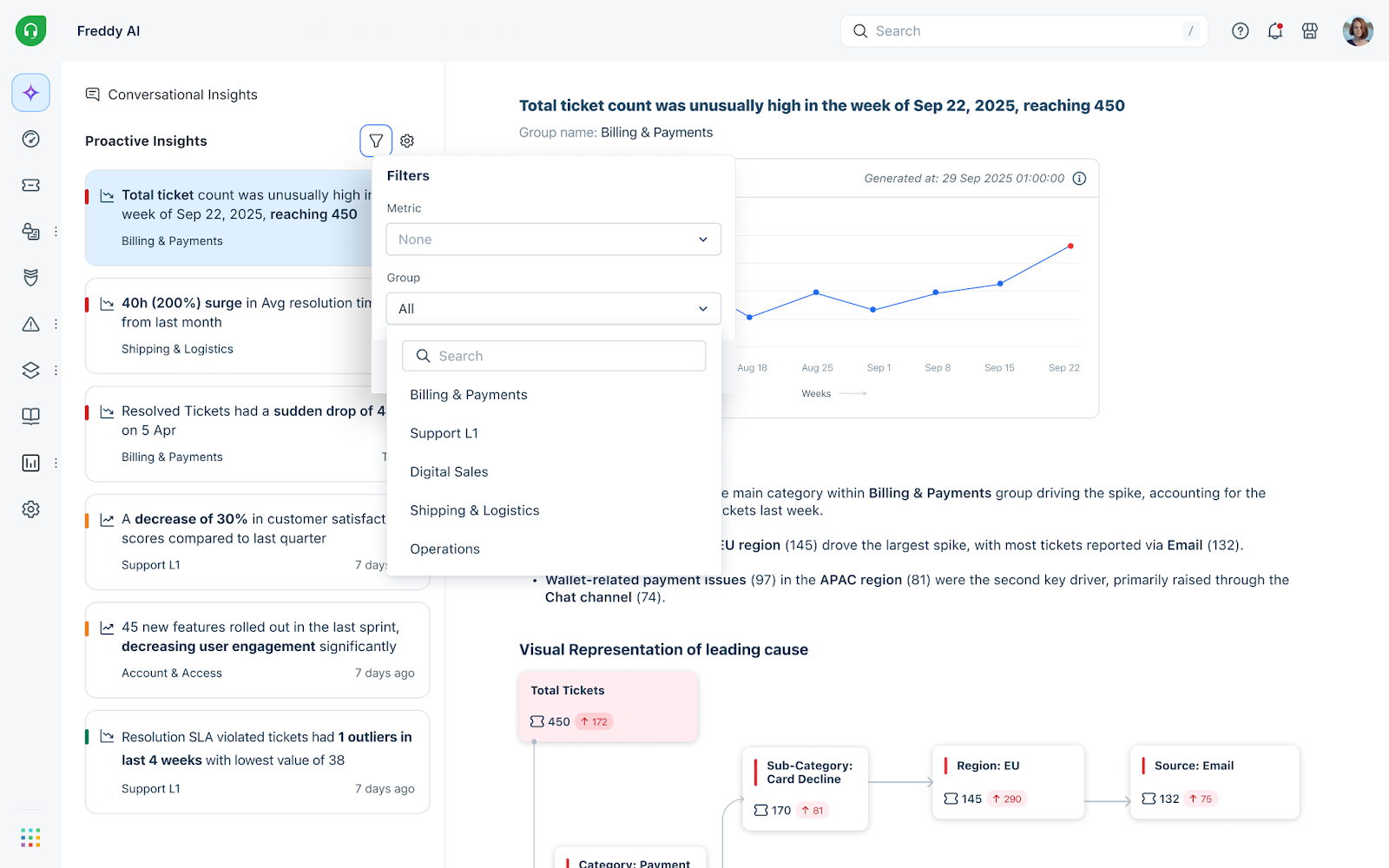
For more information on Freshdesk Omni 2025, see Get started with Freshdesk Omni.
Feature availability
While all features remain available after the upgrade, some have been updated as part of the unified experience. The following table provides a high-level view of feature availability.
Tip: Focus on newly introduced and upgraded features, such as the unified inbox, AI capabilities, and automation improvements, to get the most value from the upgrade.
Feature | New/upgraded | What is available after the upgrade? |
Inbox & Conversations | ||
Unified inbox (Freshdesk Command Center) | Upgraded | All conversations across email, chat, and messaging channels will be managed in a single workspace, with each interaction converted into a ticket. |
Response experience | Upgraded | A single reply editor will support all channels, allowing agents to respond without switching interfaces. |
Quick list | New | A new quick list view helps agents filter, prioritize, and manage conversations efficiently. |
Channels | ||
Upgraded | Email conversations will be managed within the unified workspace along with other channels. | |
Live chat | Upgraded | Chat is available as a new native channel in the unified workspace. Existing chat configurations will not be carried over and must be set up again in Freshdesk Omni 2025. |
New | Instagram DMs and comments will be converted into tickets and can be handled within the unified Inbox. | |
Upgraded | WhatsApp conversations will include improved messaging capabilities, such as structured templates and better customer interaction handling. Learn more. | |
Upgraded | Facebook posts, comments, and messages will be consolidated into one interface. This allows agents to manage public and private interactions in a single view. | |
Automation & Workflows | ||
Quick Automation | New | Quick automations will execute actions within 30 seconds on real-time conversations, ensuring faster responses and reducing inactive conversations. |
Routing & assignment | Upgraded | Tickets will be assigned using an enhanced routing engine with dynamic round-robin logic based on agent workload and availability. You can also use a simplified admin interface to configure routing and agent availability. |
SLA management | Upgraded | SLAs can be defined and tracked across channels from a single interface, making it easier to monitor response and resolution targets. |
Business hours | Upgraded | Business hours can be configured based on the source or channel, allowing for more accurate response expectations for different channels. |
CSAT | Upgraded | CSAT surveys can be configured across channels with flexible targeting, customizable question types, and controls for survey frequency and expiry, with responses available for analysis in reporting. |
Contacts & Customer Data | ||
Unified customer view | Upgraded | Customer contact details include a consolidated 360° view with conversation history across channels, along with channel-specific identifiers and support for unique values in custom fields. |
Analytics & Reporting | ||
Omnichannel reporting | Upgraded | Access reporting and dashboards across all channels to monitor performance, track trends, and identify areas for improvement. |
Freddy AI | ||
AI Agents | Upgraded | AI Agents automatically handle common customer queries within conversations across channels. |
AI Copilot | Upgraded | Provides real-time suggestions, summaries, and assistance within conversations, helping agents respond faster and with better context. |
Knowledge Base | ||
Unified Knowledge base | Upgraded | Knowledge base content can be managed in a unified workspace, allowing agents to access and share articles across channels while responding to conversations. |
Next steps after the upgrade
- Explore the updated interface and unified inbox experience
- Familiarize your team with changes in inbox and channel handling
- Adopt the latest real-time channels based on business needs
FAQs
- Will I lose access to my current workspace during migration?
No, you will not lose access. Your existing ticketing interface will be upgraded to the latest version without any disruption. - What happens to my integrations?
All existing integrations with Freshdesk will continue to function as expected. API endpoints remain unchanged. - What if I only use Freshdesk for email tickets?
Even if you use Freshdesk only for email, the upgrade provides access to enhanced capabilities for SLA management, routing, and automation. - Will my pricing change?
There will be no change to your current pricing for existing capabilities. Your per-agent license cost will remain the same. However, any new capabilities or non-recurring add-ons(such as day passes) will be priced according to the latest pricing. - What will happen to the existing Freshchat data & configurations?
Your account has no new chat conversations in the last 90 days. Please note that previous chat data will be deleted from the current account. However, you will continue to have access to the chat data and configurations for 30 days in a separate Freshchat trial account. To start using these features again in the current account, define your channel and associated configurations.
Will my account URL change after the upgrade?
If you are using Freshdesk Omnichannel Classic, your account URL will remain the same.
If you are using Freshdesk Omni (2023), your account will be moved to a freshdesk.com domain. For example: <yourcompany.freshdesk.com>