
 Community
 Video Library
 Agent Training
 Freshservice
 Freshdesk
 Freshchat
 Freshcaller
 Freshsales
 Freshteam
 Freshworks Neo
 Freshsurvey
 Growth
This article explains how to set up post-agent resolution actions for chatbots after a conversation is resolved by the agent.
Prerequisites:
- Ensure you have permission to create or edit chatbots.
- Ensure that the chatbot is already configured and published.
- Configure the chatbot to hand over conversations to agents when required.
Overview
The Post Agent Resolution setting controls the customer experience after an agent resolves a conversation that was handed over by a chatbot.
Based on your business requirements, you can choose to perform the following:
- Display a resolution message to inform the customer that the conversation has been completed.
- Trigger a bot flow to continue the customer journey after the agent resolves the conversation.
This allows you to create a seamless experience by either ending the interaction gracefully or continuing automation after agent involvement.
Configure post-agent resolution
To configure the action that occurs after an agent resolves a conversation, follow these steps:
- Go to AI Agent Studio > Chatbots.
- Select the preferred chatbot, or create a new one.
- Click Settings > Post Agent Resolution.
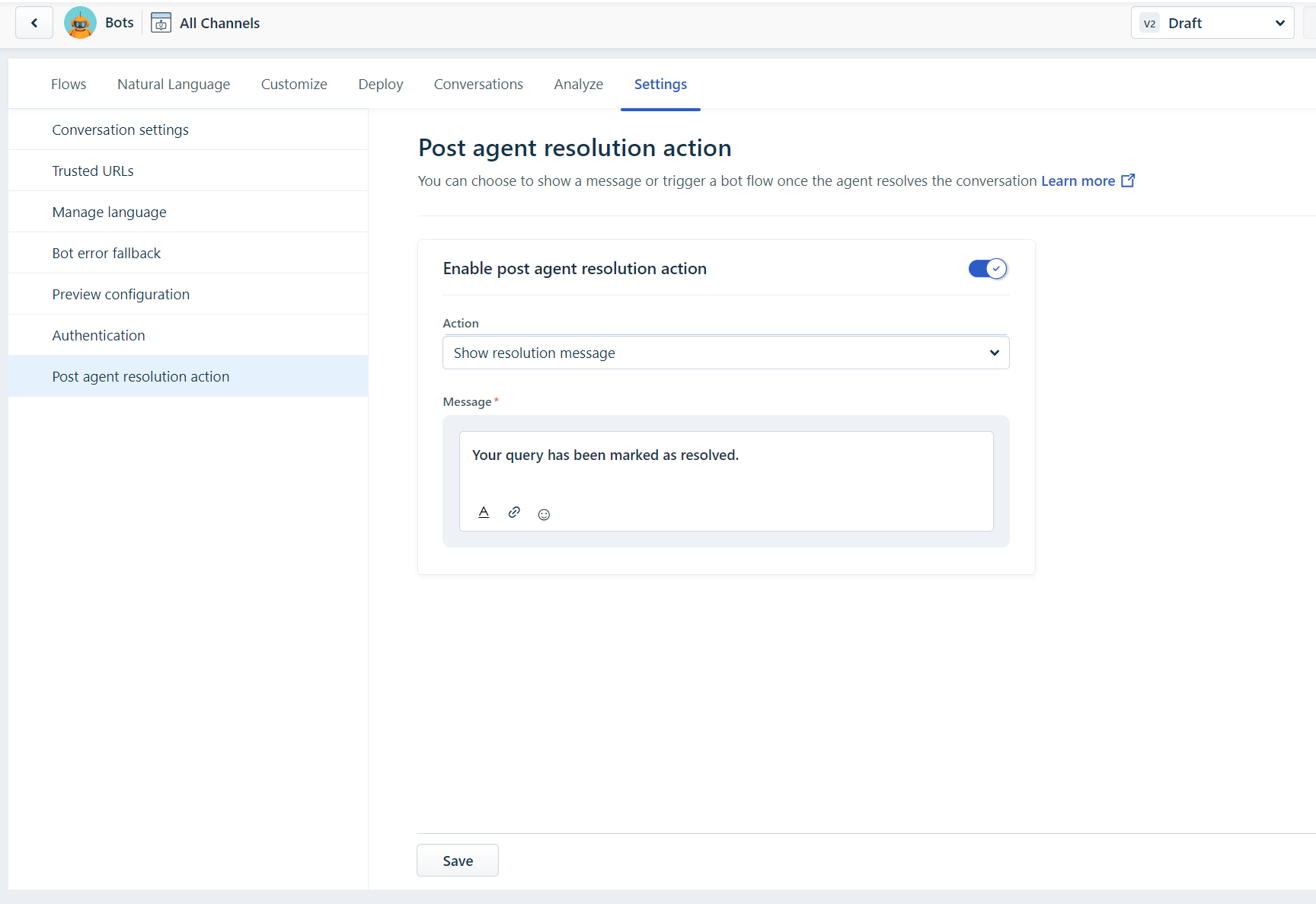
- Enable the feature and choose the required post-resolution action:
- Show a resolution message, or
- Trigger a bot flow.
- Save your changes.
Note: Always configure the flow end action (resolution action) in the bot builder. Every bot flow must end with a resolved conversation action. If a flow does not end with a resolution action, bot failures may occur for agents, and the end-user experience may be affected.