
 Community
 Video Library
 Agent Training
 Freshservice
 Freshdesk
 Freshchat
 Freshcaller
 Freshsales
 Freshteam
 Freshworks Neo
 Freshsurvey
- What is the frequency of Data Refresh in Solution Articles?
Any changes to solution articles sync to Analytics reports approximately every 30 to 45 minutes, though it can occasionally take a little longer. This means if you publish or update an article, the view counts and other metrics in Analytics should reflect the change within that window.
- What happens when you mark an Article as "Not Helpful"?
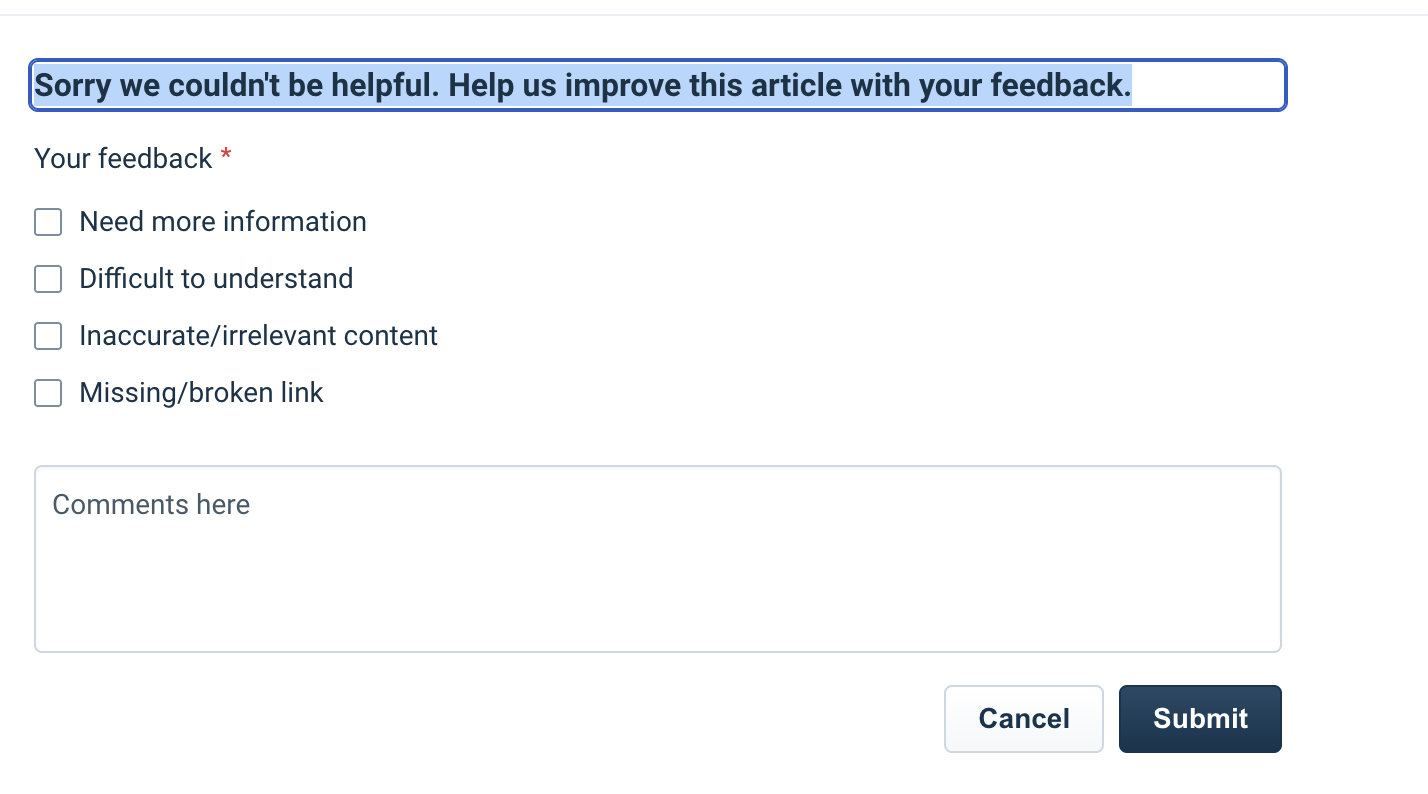
When a reader marks an article as Not Helpful, a feedback form appears immediately with the prompt: "Sorry we couldn't be helpful. Help us improve this article with your feedback." - see screenshot
The reader is shown four options to pick from:
- Need more information
- Difficult to understand
- Inaccurate/irrelevant content
- Missing/broken link.
There is also a free-text Comments field for additional context, and a Submit button to send the feedback.
On the analytics side, these votes are tracked as the "Marked as not helpful" metric in the Solutions module within Analytics, and poorly rated articles also surface in the Insights tab so you know which articles need improvement
- How are Views updated in Solution Articles?
- Views: total number of times an article has been viewed by both requesters and agents combined. Available as a metric in Analytics.
- Requester Views: number of times a requester has viewed an article. (Important note: every page refresh counts as a view. Available as a metric in Analytics.)
- Agent Views: number of times an agent has viewed an article on the support portal. Available as a metric in Analytics.
NOTE: The view count you see directly inside the Solutions module list shows only Requester Views, not the total. If you need the full picture (agent + requester), use Analytics.
- Managed By / Author / Approvers and Visibility
Managed By controls which Agent Groups can create, edit, and manage articles within that folder. By default, it is set to All Groups, but you can restrict it to specific groups.
- All
- Logged in users only
- Agents only
- Specific departments
- Specific Agent Groups
- Specific Requester Groups
- Agents in specific workspaces
- All Approvers: every assigned approver must approve before the article moves forward
- Anyone Can Approve/Reject; any single approver can act on the article
- Approve; the article is approved and the author can then publish it
- Approve and Publish; approver approves and publishes in one step
- Edits Required; article is returned to the author with comments
Author refers to the agent who creates and owns the article. Only the author can send an article for approval.
One important rule here: if even one approver selects Edits Required, the article is returned to the author for revision regardless of what other approvers have done. The author can review the feedback, make changes, and re-submit for approval.
We have some articles that explain some of this :
- Will I see the same article multiple times in different languages?
Keeping translations in sync -
This notifies the owners of the translated versions that their articles require updates.
Once the translated content is reviewed and updated, the respective agents can mark it as “Up to date.”