
 Community
 Video Library
 Agent Training
 Freshservice
 Freshdesk
 Freshchat
 Freshcaller
 Freshsales
 Freshteam
 Freshworks Neo
 Freshsurvey
Overview:
This article covers how to verify module availability in a Freshservice account and clarifies the distinction between the Onboarding module and the Journey module.
Checking Module Availability:
To verify which modules are active on a Freshservice account, navigate to Settings > Account Settings > Plans & Billing. This page lists all modules included under the account's current subscription. If the Onboarding module does not appear here, it is not part of the plan.
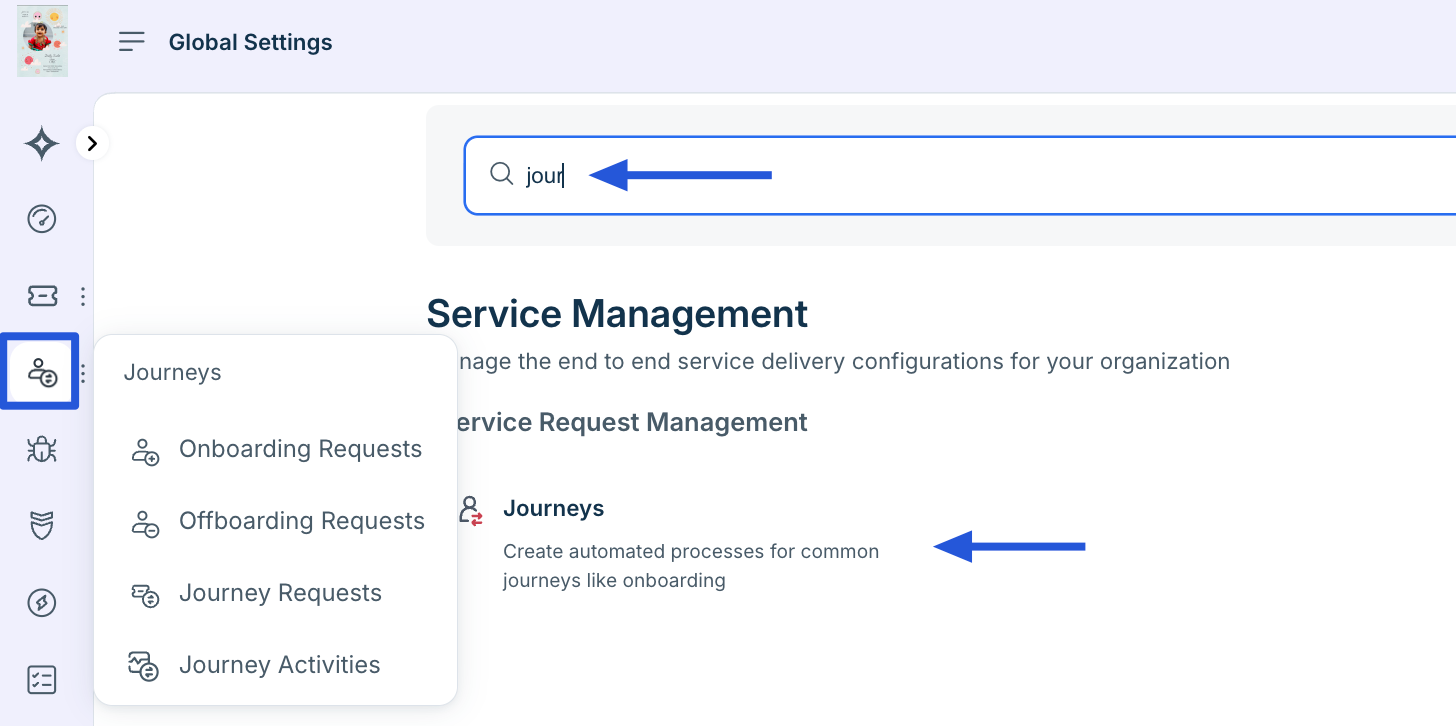
To specifically confirm whether the Journey module is enabled, go to Admin > Modules and look for it in the list of active modules. If it appears and is enabled, it is ready for use. If not, it would need to be activated based on the account's plan.
Understanding the Difference
In newer Freshservice accounts, the Onboarding module is not available. The Journey module serves as the primary functionality for onboarding-related workflows in these accounts. When a user asks about the Onboarding module, clarify that their account includes the Journey module instead, which covers the related use cases.
Note: If only the Journey module is listed under Plans & Billing, this confirms that the Onboarding module is not included in that account — this is expected behavior for accounts on plans that feature the Journey module.
Article 2: