
 Community
 Video Library
 Agent Training
 Freshservice
 Freshdesk
 Freshchat
 Freshcaller
 Freshsales
 Freshteam
 Freshworks Neo
 Freshsurvey
 Growth
Configure a bot error fallback flow to ensure conversations continue when a chatbot encounters an error or cannot proceed with the current flow. A fallback flow provides an alternative path that helps customers continue their interaction rather than reaching a dead end.
Prerequisites
- Ensure that you have permission to edit chatbots.
- Ensure that the chatbot includes at least one existing bot flow that can be used as the fallback flow.
Overview
A bot may occasionally encounter errors because of misconfigured dialogs, archived components, or unexpected execution issues. Without a fallback flow, these errors can interrupt the customer experience and leave conversations unresolved.
A bot error fallback flow provides an alternate flow that is triggered automatically when it cannot continue executing the current flow. Instead of displaying an error or ending the conversation, the chatbot can guide customers toward another resolution path, such as collecting additional information, asking them to rephrase their request, or directing them to another workflow.
Tip: Design fallback flows to help customers progress toward a resolution. Instead of simply informing customers that an error occurred, provide alternative options or guide them to the next appropriate step.
Configure a bot error fallback flow
To configure a fallback flow for bot errors:
- Go to AI Agent Studio > Chatbots.
- Select the required bot.
- Click Settings > Bot error fallback.
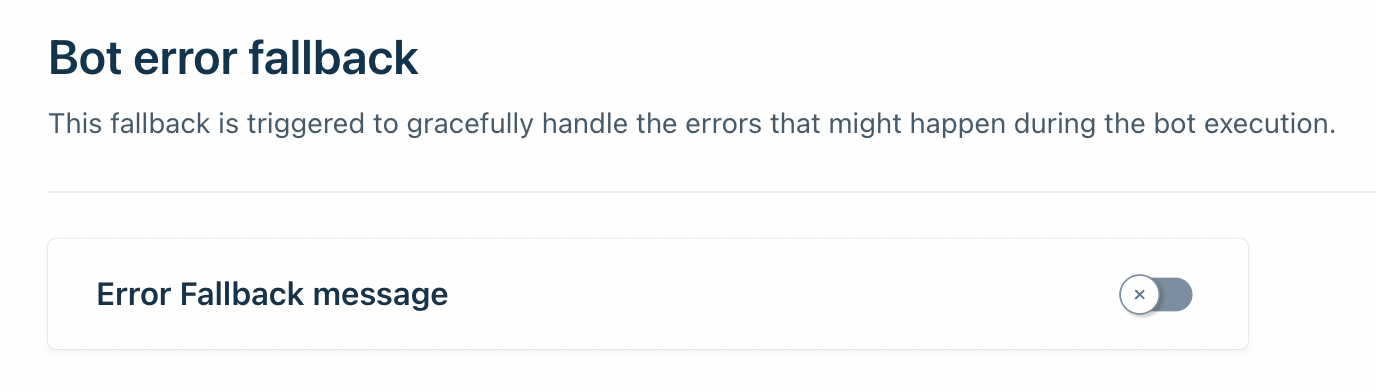
- Enable the Error fallback toggle.
- Select an existing bot flow to use as the fallback flow.
- Save your changes.
Scenarios that trigger the fallback flow
The configured fallback flow is triggered when the chatbot cannot continue executing the current flow. Common scenarios include:
Scenario | Description |
Archived dialog | The bot attempts to process or display a dialog that has been archived. |
End of flow | The bot reaches the end of a flow or there are no remaining dialogs to execute. |
Excessive private dialog execution | The bot processes 50 private dialogs, indicating a possible infinite loop. The fallback flow is triggered to prevent the conversation from becoming stuck. |
Note: This list is not exhaustive. Additional scenarios may trigger the fallback flow in future releases.
Best practices
Design fallback flows to help customers continue their journey rather than simply notifying them that an error occurred. Consider including options that allow customers to:
- Rephrase their question.
- Choose from suggested topics or responses.
- Continue with another bot flow.
- Connect with an agent, when appropriate.