
 Community
 Video Library
 Agent Training
 Freshservice
 Freshdesk
 Freshchat
 Freshcaller
 Freshsales
 Freshteam
 Freshworks Neo
 Freshsurvey
 Growth
Versioning lets you create and manage multiple releases of the same chatbot. You can use versions to make changes to an existing chatbot, test those changes, and publish them without affecting the version currently available to customers.
Prerequisites
Before you create a new version, ensure the following:
- Make sure you have an existing chatbot.
- Make sure the chatbot is published or unpublished.
For example, if you want to add or optimize a workflow in a published chatbot, create a new version, make your changes, and test the new version before publishing it.
Understand chatbot versions
A chatbot can have one of the following version states:
Version | Description | Example |
Draft | A version that has not been published. You can edit and test a draft before making it available to customers. | You create a new version to add a workflow and test the changes. |
Published | The version that is currently live and available to customers. Only one version can be published at a time. | Customers interact with this version when the chatbot is loaded through the deployment script. |
Unpublished | A version that was previously published but is no longer live. An unpublished version is not available to customers and cannot be edited. | You publish a new version, and the previously published version becomes unpublished. |
Note:
- You can edit only the draft version of a chatbot.
- You cannot edit published or unpublished versions. To modify one, create a new version.
- If a published chatbot is archived, it becomes unpublished and is unmapped.
Create a new version
You can create a new version of a published or unpublished chatbot. To create a new version:
- Open the chatbot you want to update.
- Click New version.
A draft version of the chatbot is created. You can now make changes to the draft without affecting the version currently available to customers.
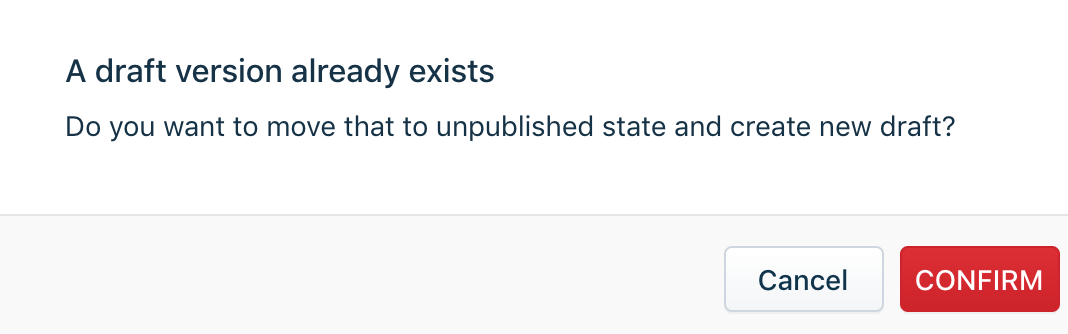
Note: If a draft version already exists and you try to create another version, a confirmation message appears. Click Confirm to create the new version. The existing draft becomes unpublished, and the new version becomes the current draft.
You can switch between the different versions of your chatbot to view their configuration and status. After you configure and test the draft, publish it to make your changes available to customers.
Important: The chatbot deployment script loads only the published version. Changes made to a draft are not available to customers until you publish that version. When you publish a new version, the previously published version becomes unpublished.
The following modules are included when you create a new version:
- API Library
- Conversations
- Custom properties
- Flows
- Holistic View
- Multilingual properties
- Quick Actions
Note: If a published chatbot is archived, it becomes unpublished and is unmapped.